OpenTofu / Comparisons
Terraform Cloud alternatives: OpenTofu and Ansible with Stackweaver
Review infrastructure plans and manage OpenTofu state alongside Ansible jobs in Stackweaver. A practical alternative to separate automation platforms.
Stackweaver brings OpenTofu workspaces and Ansible automation into the same platform. Your team can review an infrastructure plan and confirm the apply in the same application used to run repository playbooks.
If you're looking for a Terraform Cloud alternative, that combination is where I would start the Stackweaver comparison. You get workspace state and a recorded run lifecycle alongside the configuration automation your infrastructure needs afterwards. I build Stackweaver at VH & Co BV, based in Europe. This is a product-author comparison of documented workflows, not a performance benchmark or a completed migration trial.
Techstack
- Stackweaver SaaS, or self-hosting with Docker Compose or Helm.
- OpenTofu workspaces and Ansible repository playbooks.
- HCP Terraform, the current name for Terraform Cloud.
- Terraform Enterprise as HashiCorp's self-hosted distribution.
What Stackweaver replaces
A state backend stores the snapshot your next Terraform or OpenTofu run needs. A platform also coordinates execution and lets your team inspect the result. Stackweaver models that work through a workspace, with its configuration settings and variables alongside state and run history.
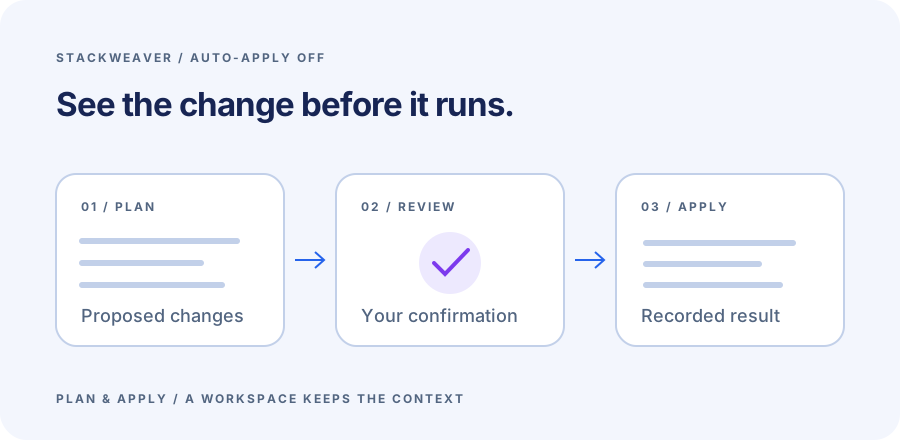
With auto-apply disabled, an infrastructure change is planned before an authorized user confirms the apply. The recorded result stays with the workspace. Ansible jobs live in the same application, using their own playbooks and inventories. That is useful when provisioning infrastructure and configuring it are both part of your team's work.
The OpenTofu run guide explains the stages and output. The Ansible first-job guide shows the other side of the workflow, including declared platform configuration through the management provider. You can keep the automation content in Git and manage the platform's objects as code too.
Managed hosting and self-hosting
Use Stackweaver SaaS for managed hosting, Docker Compose for a host-based installation, or the Helm chart for Kubernetes. The self-hosting guides cover the deployment configuration and supporting services.
| Requirement | Stackweaver | HashiCorp option to compare |
|---|---|---|
| Managed workspace service | SaaS hosting with OpenTofu workspaces. | HCP Terraform's hosted application. |
| Self-hosted control plane | Docker Compose or Helm. | Terraform Enterprise's supported deployment. |
| Infrastructure and configuration jobs | OpenTofu workspaces alongside Ansible jobs. | Evaluate the integrations needed for the team's configuration automation. |
| Existing Terraform management clients | TFE-compatible API surface with operation-level compatibility evidence. | Your current TFE API usage and provider resources. |
| Runtime | Documented remote execution uses OpenTofu. | The Terraform runtime and provider versions your current deployment uses. |
HCP Terraform also supports remote operations and a local execution mode where it stores state while your own machine executes the commands. If state storage is the only thing you need to replace, compare backends before moving the full workflow. For a team that wants a shared application for runs and Ansible jobs, evaluate Stackweaver as the platform replacement.
A first workspace without cloud credentials
Use a separate evaluation directory containing this main.tf:
terraform {
  required_version = ">= 1.6.0"
}

resource "terraform_data" "evaluation" {
  input = "staging"
}

output "environment" {
  value = terraform_data.evaluation.output
}
The built-in terraform_data resource records a value in state without creating a cloud resource.
With a compatible OpenTofu installation, you can check the configuration locally:
tofu init
tofu plan -out=evaluation.tfplan
tofu apply evaluation.tfplan
tofu output -raw environment
tofu plan
The first plan proposes one addition.
After applying that saved plan, the output should be staging and the last plan should report no changes.
Keep generated plan and state files out of version control.
To run the configuration in Stackweaver:
- Commit it to a repository you control and connect that repository to Stackweaver.
- Create a workspace pointing at the evaluation directory and select an available OpenTofu version.
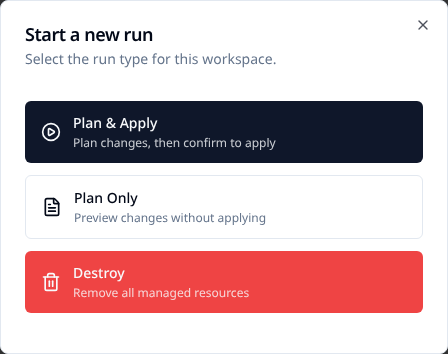
- Keep auto-apply off and choose Plan & Apply.
- Review the addition, confirm Apply Plan, then inspect the recorded result and output.
The first-workspace guide includes the full setup and the native provider alternative. A Plan Only run is useful for inspection but cannot be applied later. Choose Plan & Apply when you want the manual confirmation path.
Change the input to staging-review and queue a new run.
The next plan should update the existing evaluation resource.
For an HCP Terraform comparison, use the same repository configuration in an independent VCS-connected workspace with auto-apply off, following its UI/VCS run workflow.
Do not point both trials at state belonging to real infrastructure.
The local example is deliberately small. Before migrating an existing workspace, test its actual providers and credentials against non-production infrastructure using the runtime you intend to deploy.
Keep API compatibility separate from execution
Stackweaver's TFE-compatible API helps existing clients manage platform resources. Its documented remote workspace execution uses OpenTofu. Those are separate compatibility questions: accepting an API operation does not establish execution with an arbitrary Terraform binary.
The migration guide includes a dated hashicorp/tfe provider test snapshot and identifies fixtures that did not pass.
Use that operation-level evidence to select what to test against the Stackweaver release you intend to run.
For new platform-management configuration, the native provider manages Stackweaver's workspaces and other objects directly.
I prefer keeping platform-management state separate from the infrastructure state inside a workspace. It gives changes to the control plane their own plan and avoids coupling them to the infrastructure the platform executes.
Michiel VH, founder of Stackweaver
European teams can choose their deployment
VH & Co is based in Europe. With self-hosting, you choose where to deploy Stackweaver and its storage.
HashiCorp also offers HCP Terraform in Europe, with separate regional resources and documented differences. Its agents allow execution against private infrastructure while the application remains hosted. Compare control-plane location separately from worker location when that distinction matters to your organization.
Move workspace ownership deliberately
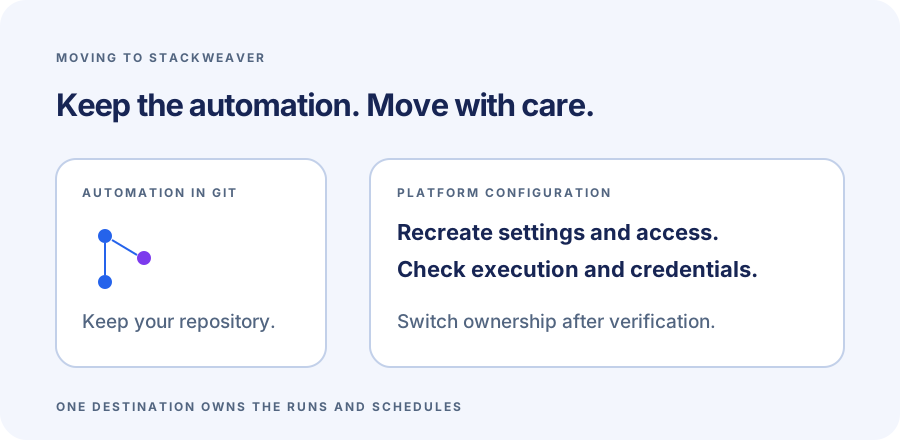
A workspace migration includes its inputs and access rules as well as state. Recreate the destination settings and reconnect VCS. Recover sensitive variables from their original secret store; a source platform's API token does not become a Stackweaver token.
| Migration input | What to carry across |
|---|---|
| Configuration | Repository revision, working directory and dependency lock file. |
| Execution | Compatible runtime, providers and required credentials. |
| State | Protected source backup and the correct empty destination. |
| Controls | Apply permissions, checks and automatic triggers. |
| History | Retain source run records for the period the team needs. |
Pause triggers and concurrent applies on both sides before transferring ownership. The migration guide provides a bounded manual procedure for an empty destination, with state readback and stop conditions. Review the destination plan before allowing it to apply. Unexpected creates or replacements are a reason to compare the inputs and state before proceeding.
Enable the destination only when it is the designated owner, leaving the source unable to apply.
Changing a hostname in a cloud block does not transfer the surrounding platform configuration.
Start with a Stackweaver workspace
Use the first-workspace guide to follow a complete plan and apply, then add an Ansible job from the same team workflow. Stackweaver's self-hosted code is source-available under BSL 1.1.
References
HCP Terraform's European offering was rechecked on October 29, 2026; the workflow and runtime references were checked during this article's October 28 authoring pass. This comparison includes no quoted prices or claim of complete feature parity.