Ansible / Comparisons
AWX alternatives: Stackweaver vs Ansible Automation Platform
Compare Stackweaver with Red Hat AAP for team Ansible automation, OpenTofu workspaces and repeatable infrastructure workflows.
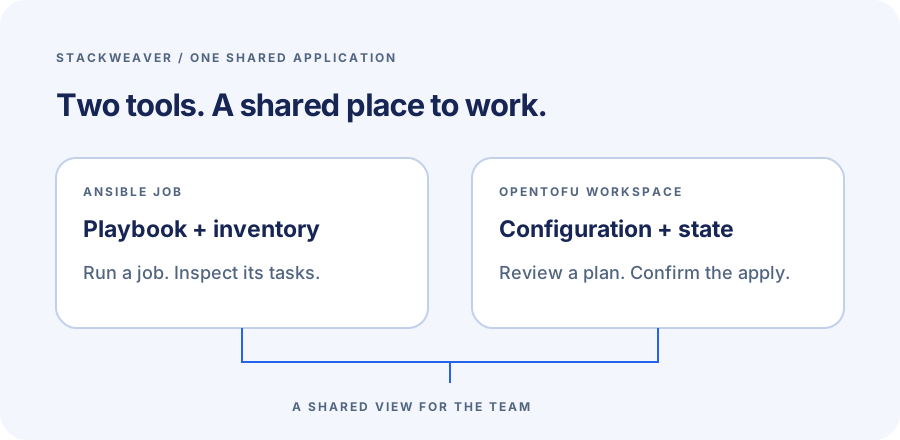
Your team needs a shared place to run Ansible, with enough control to know which playbook ran and what happened on each host. If you're also provisioning infrastructure with OpenTofu, keeping those runs in another platform adds another set of configuration and access rules to maintain. Stackweaver brings both workflows into one application.
I build Stackweaver at VH & Co BV, based in Europe. For a new deployment, the Ansible product comparison I would make is Stackweaver against Red Hat Ansible Automation Platform, or AAP. AWX's old packaged release is a different proposition from the upstream project being developed now.
Techstack
- Stackweaver SaaS, or self-hosting with Docker Compose or Helm.
- Ansible playbooks and inventories in Git.
- OpenTofu workspaces for infrastructure plans, applies and state.
- Red Hat Ansible Automation Platform, with product details scoped to its 2.6 documentation.
Why the old AWX comparison is out of date
The AWX repository says its last release was on July 2, 2024, and releases are paused during a large refactoring. The January 2026 modernization update describes a move toward developer resources and customizable builds. In April, the team documented running the Ansible UI separately from AWX. The subsequent Jewel update introduces a proxy layer connecting AWX with other pluggable services.
For a team choosing a controller now, I would not build the deployment plan around waiting for the old bundled AWX experience to return. Contributing to that upstream architecture is a different job from installing an automation service for colleagues. AAP is Red Hat's supported product, so that is the relevant comparison when you're choosing a platform to operate.
Ansible jobs and infrastructure workspaces together
In Stackweaver, you register a repository playbook and select it in a reusable job template. The template holds its inventory and execution settings. A teammate can launch the job and inspect the result in the browser instead of reproducing your local terminal environment.
The same platform also manages OpenTofu workspaces. Each workspace keeps its configuration settings and variables with its state and recorded runs. A plan can be reviewed before applying a change, with auto-apply disabled. This gives a team using both tools a shared place for provisioning work and configuration jobs. It does not require rewriting the Ansible playbooks as Terraform configuration.
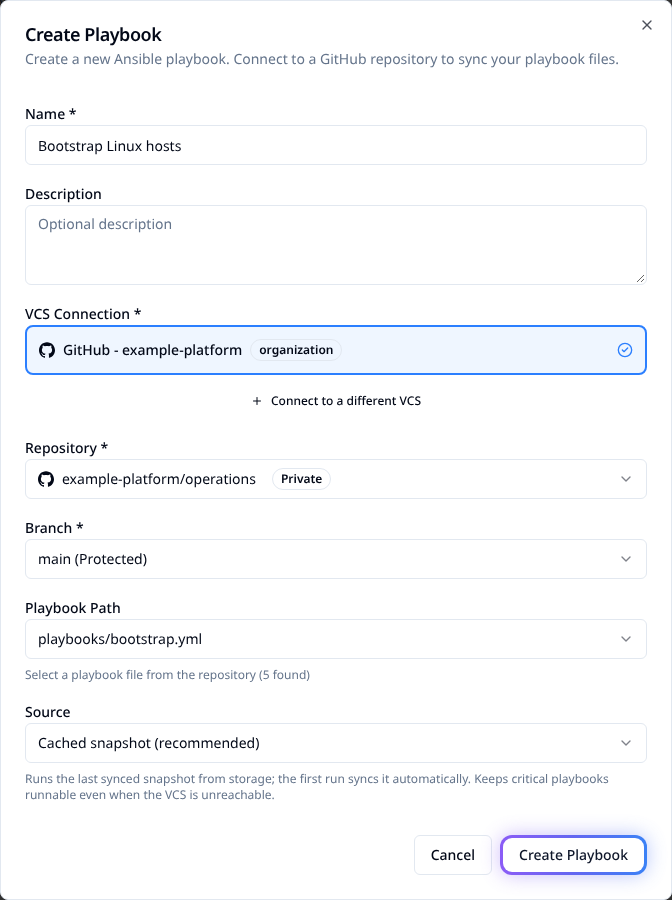
I prefer keeping automation content in Git and declaring the platform configuration too.
The first Ansible job guide includes a management-provider example for the inventory and job template. That lets you reproduce the setup without relying on someone's memory of the creation form.
Stackweaver and AAP serve different deployment needs
| Decision | Stackweaver | Ansible Automation Platform |
|---|---|---|
| Running the platform | Managed SaaS, Docker Compose on a host, or Helm in Kubernetes. | Red Hat documents containerized installation with Podman on RHEL, alongside other deployment methods. |
| Daily Ansible work | Repository playbooks, inventories and reusable templates, with task-level job results. | Automation controller provides reusable job templates and their launch configuration. |
| Infrastructure as code | OpenTofu workspaces with platform-managed state and plan/apply history. | Terraform integrations are part of the AAP ecosystem. |
| Product choice | A shared Ansible and OpenTofu platform with SaaS and self-hosting options. | Red Hat's supported automation product and associated ecosystem. |
AAP's job templates provide the reusable Ansible launch model familiar to teams using Red Hat's automation products. If your organization needs Red Hat's supported content or commercial support arrangement, include that requirement in the decision. Stackweaver puts the Ansible workflow alongside OpenTofu workspaces, with the Ansible catalogue covering the detailed behavior.
Start with a job you can understand
Save this as site.yml in a repository you control.
It runs locally on the execution worker and makes no changes to managed hosts.
The assertion also gives you a deliberate failure, so you can see how the platform presents one.
- name: Check the automation launch path
  hosts: localhost
  connection: local
  gather_facts: false
  tasks:
    - name: Show the requested environment
      ansible.builtin.debug:
        msg: "Evaluation environment: {{ target_environment | default('staging') }}"
    - name: Reject an unintended environment
      ansible.builtin.assert:
        that:
          - (target_environment | default('staging')) == 'staging'
        fail_msg: This evaluation only allows staging
With Ansible installed, run it from that directory:
ansible-playbook -i localhost, site.yml
ansible-playbook -i localhost, site.yml -e '{"target_environment":"production"}'
The first command should succeed.
The second should fail with This evaluation only allows staging.
In a controller, localhost means the execution worker, not your laptop.
To run it in Stackweaver:
- Connect the repository and register
site.ymlas a playbook. - Create a static inventory containing
localhost. - Create a job template using the playbook and inventory, with privilege escalation disabled and no target-host SSH credential.
- Launch it, inspect the task output and repeat with
{"target_environment":"production"}in the launch dialog's JSON extra variables.
The first-job guide covers the complete setup, including a Git-backed inventory and the provider/API paths. A private repository needs its own Git access even though this local playbook needs no SSH key for a target host. For a real host, choose an execution worker with network access and attach the appropriate credential.
Use the example to follow a job from its repository through to a readable task result before connecting your own hosts.
Moving existing automation into Stackweaver
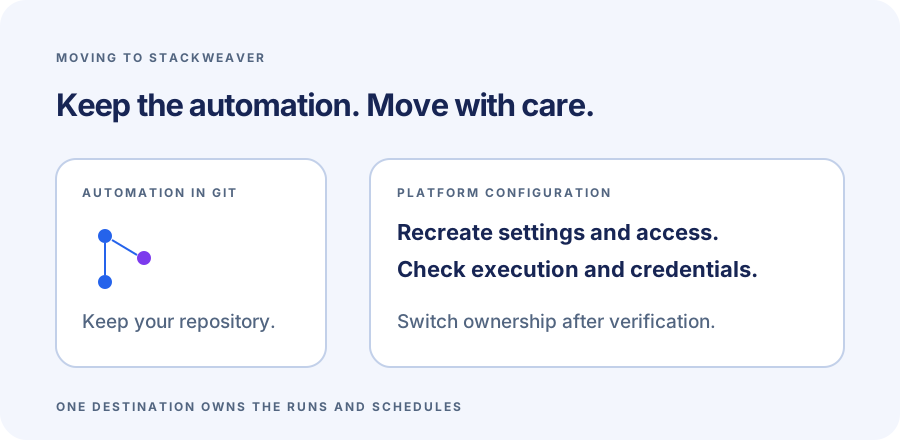
Keep your playbooks in their repository and move one template with a known result first. Recreate its inventory source and launch defaults explicitly. Recover credentials from their original secret store and check who may use the new template.
A playbook file does not contain the controller's access rules or execution history.
Michiel VH, founder of Stackweaver
If the old job uses a custom execution environment, reproduce its dependencies in the destination runtime before moving that job. For an existing release workflow, check its branches and approval steps against the execution guide before moving it.
Keep destination schedules disabled until you switch ownership. After the successful run and the deliberate failure are understood, enable the new schedule and retain the old job records for the period you need.
Run your first job
Start with one Ansible job and add an OpenTofu workspace to bring provisioning and configuration work into the same platform.
Stackweaver's self-hosted code is source-available under BSL 1.1.
References
AWX transition notices and AAP 2.6 documentation checked on October 29, 2026. This is a product-author comparison, without a side-by-side deployment benchmark.