Ansible / OpenTofu / Comparisons
Stackweaver vs Semaphore UI: one platform for Ansible and OpenTofu
Compare Stackweaver and Semaphore UI for Ansible jobs, OpenTofu state and change approvals, with practical examples of the team workflow.
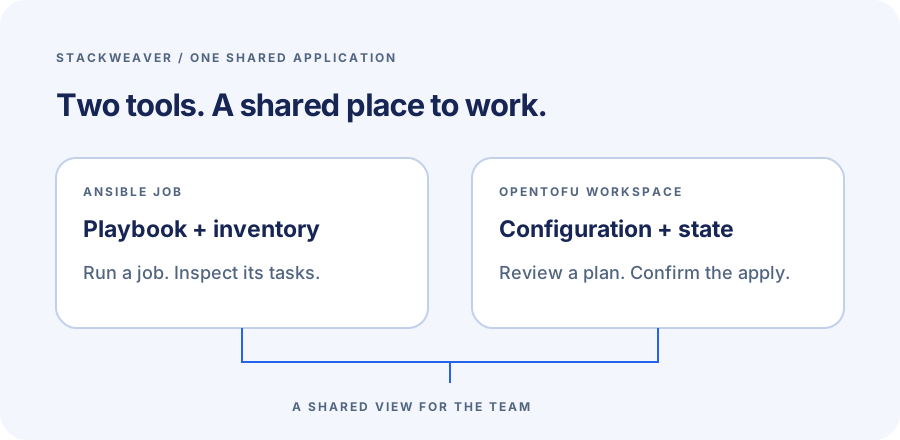
Stackweaver gives your team a shared home for Ansible playbooks and OpenTofu workspaces. You can launch configuration jobs and review infrastructure plans in the same application. Their results stay available for the team to inspect.
Semaphore UI also supports Ansible and OpenTofu. The useful comparison is how those tools fit into your team's daily work, especially where state lives and how a change gets reviewed before it is applied. I build Stackweaver at VH & Co BV, based in Europe, so this is a product-author comparison rather than an independent benchmark.
Techstack
- Stackweaver SaaS, or self-hosting with Docker Compose or Helm.
- Semaphore UI, with Community and Pro features distinguished.
- Git repositories containing Ansible playbooks and OpenTofu configuration.
- Independent state for each evaluation workspace.
A workspace for infrastructure and a template for configuration
Ansible and OpenTofu solve related parts of infrastructure work, but their execution needs differ. A playbook needs a target inventory and a way to reach those hosts. An OpenTofu run also needs the correct workspace state and a controlled plan/apply sequence.
Stackweaver keeps those concepts explicit. An Ansible template selects a registered playbook and inventory. An OpenTofu workspace keeps its run settings and variables with platform-managed state. Your team can follow each change from its repository configuration to its recorded result without maintaining a separate application for each tool.
I prefer having the platform configuration declared too.
The Stackweaver management provider can create workspaces and Ansible configuration objects; the first-job guide shows the inventory, playbook and template definitions. The infrastructure inside an OpenTofu workspace stays in separate state from the configuration that manages Stackweaver itself.
Where the products differ
| Requirement | Stackweaver | Semaphore UI |
|---|---|---|
| Hosting | Managed SaaS, Docker Compose on a host, or Helm in Kubernetes. | Binary, Docker and other installation options are documented. |
| Ansible launches | Reusable templates with registered playbooks, inventories and credentials. | Ansible templates select a repository, playbook and inventory. |
| OpenTofu runs | Workspace state and recorded plan/apply lifecycle in the platform. | Terraform/OpenTofu templates with workspace selection. |
| State backend | State is managed for each workspace. | Uses the configured backend; the built-in HTTP backend is Pro. |
| Workflow editing | Nodes and edges configured through the API, including approval gates. | The visual workflow editor is a Pro feature. |
| License | Self-hosted code under BSL 1.1. | Community repository under MIT, with separate commercial features. |
Semaphore's installation options make it a practical controller for repository tasks. Its OpenTofu workspace support is also real. Stackweaver's appeal is the combined workspace and automation experience, with a managed hosting option when you want to use the platform without running its services yourself.
Run a playbook in Stackweaver
Save this site.yml in a repository you control:
- name: Verify an automation template
  hosts: localhost
  connection: local
  gather_facts: false
  tasks:
    - name: Confirm repository content loaded
      ansible.builtin.debug:
        msg: "Template loaded from the evaluation repository"
With Ansible installed, check it locally:
ansible-playbook -i localhost, site.yml
The expected result is a successful job containing "Template loaded from the evaluation repository".
The playbook runs on the execution worker and changes no managed host.
In a controller, localhost refers to that worker.
Connect the repository in Stackweaver and register site.yml as a playbook.
Create an inventory containing localhost, then select both in a job template.
Leave privilege escalation disabled and target-host SSH credentials empty for this local task.
Launch the template and inspect its task result using the first-job guide.
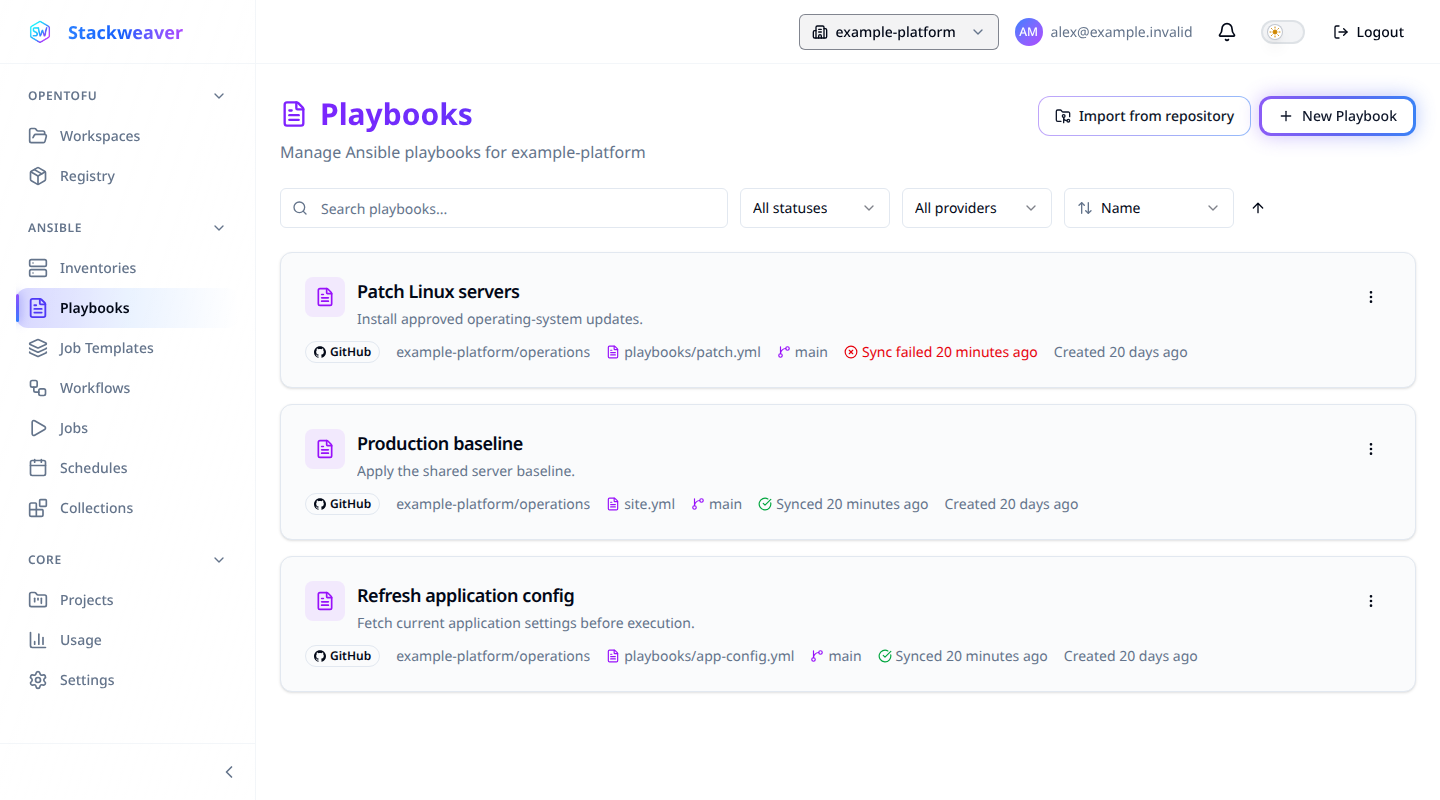
To run the same file in Semaphore, create an Ansible Playbook template with the matching repository, inventory and path. A private Git repository needs its own access credential in either platform. For remote hosts, check the execution worker's network access and attach a suitable host credential.
A successful run covers the simple launch path. For a deliberate failed task, use the assertion example in the Ansible Automation Platform comparison. You can inspect how the result is presented without failing a task on a production server.
State stays with the workspace
Semaphore's Terraform/OpenTofu templates use the backend configured for the task. The built-in HTTP backend is a Pro feature. If you choose Community with an external backend, that backend remains part of the configuration you maintain.
In Stackweaver, the workspace owns its state and recorded runs.
Michiel VH, founder of Stackweaver
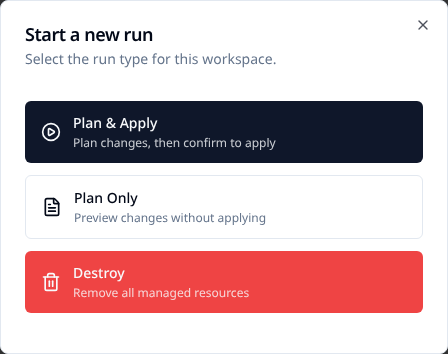
With auto-apply off, choose Plan & Apply to review the plan before confirming the apply. The platform keeps the result with that workspace for the next run. A Plan Only run is for inspection and cannot later be applied.
For a provider-free first run, save this as main.tf in a separate evaluation directory:
terraform {
  required_version = ">= 1.6.0"
}

variable "environment" {
  type    = string
  default = "staging"
}

resource "terraform_data" "evaluation" {
  input = var.environment
}

output "environment" {
  value = terraform_data.evaluation.output
}
The built-in terraform_data resource records the value without provisioning a cloud resource.
With a compatible OpenTofu installation, its local workflow is:
tofu init
tofu plan -out=evaluation.tfplan
tofu apply evaluation.tfplan
tofu output -raw environment
tofu plan -var='environment=staging-review'
The apply creates one evaluation resource and the output should be staging.
The last command proposes changing the stored input to staging-review; it does not apply that change.
Keep the generated plan and state files out of Git.
To run it in Stackweaver, commit the configuration and follow the first-workspace guide. Select its directory, use an available OpenTofu version and leave auto-apply off. For Semaphore, create an OpenTofu template with its own workspace and your chosen backend. Keep each platform's evaluation state independent.
Approvals and configuration should fit the team
Semaphore Pro provides a visual workflow editor with branching and approval steps. Stackweaver's workflow graph is configured through the API, including approval gates. The Ansible catalogue covers the configuration details.
The comparison should reflect the edition you would actually deploy. For Stackweaver, follow an Ansible job through its output and an OpenTofu change through its plan and confirmation. For Semaphore, include the backend and Pro features your workflow requires. That gives you a useful view of daily operations instead of a feature count with different editions mixed together.
Keep the automation, move its configuration deliberately
Your repository content can stay in Git while you recreate a template in Stackweaver. Check its launch defaults and inventory groups, then restore credentials from their original secret source. Keep destination schedules disabled until the source scheduler is paused. An old controller's run history does not move with a playbook filename.
For OpenTofu, transfer state only after choosing the authoritative destination. The migration guide gives a bounded empty-destination procedure and the checks to perform before allowing an apply. Use separate trial workspaces first, then move the configuration that matters to your team.
Bring the two workflows into Stackweaver
If you want Ansible jobs and OpenTofu workspaces in one platform, start with your first Ansible job and your first workspace. Stackweaver's self-hosted code uses BSL 1.1; Semaphore Community uses MIT.
References
Semaphore documentation checked on October 29, 2026. This compares documented product behavior and runnable examples, without a side-by-side deployment or performance claim.